
Simen Wolters
Generalist Game Programmer
simenwol@gmail.com🎓 3rd year game programming student at Breda University of Applied Sciences.
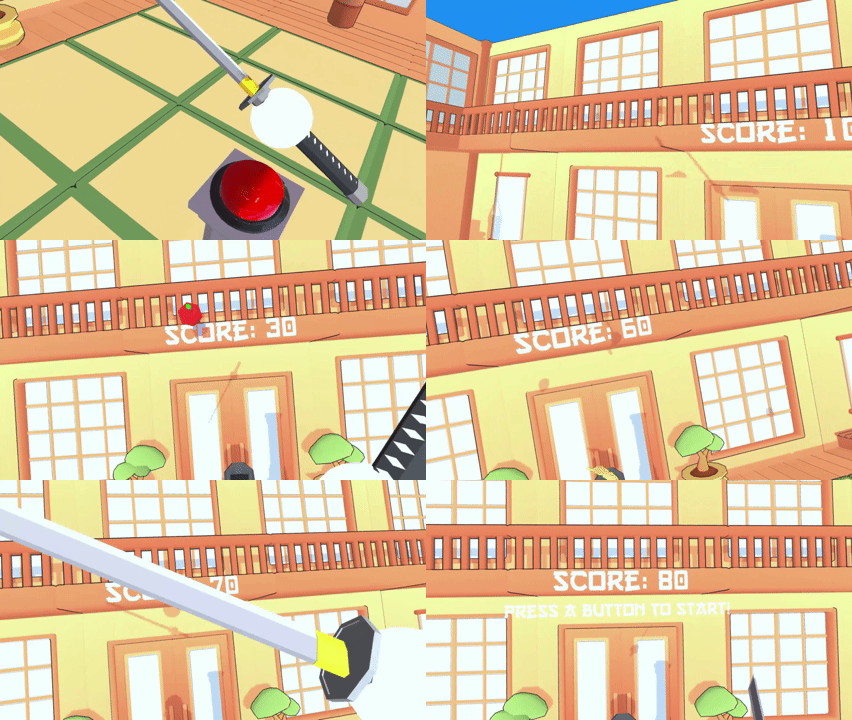
Mantis Engine: Custom OpenXR Game Engine
April 11, 2025
Mantis Engine is a custom cross-platform C++ engine for Windows and OpenXR-based VR. Development spanned 16 weeks, beginning with an 8-week core engine phase by a team of five programmers, followed by an 8-week production phase with an expanded multidisciplinary team, during which the engine was further extended to support a full game.
My Contributions: In-world UI elements (Text, (Animated) Images) | Interactive Buttons (physical & UI-based) | Shooting Mechanics | Core gameplay demo functionality
Engine/Tools: FMOD | Jolt | stb_truetype | EnTT | GLM | ImGui | cereal
Team Size: Engine Core: 5 Programmers | Production: 8 Programmers, 2 Designers
Duration: Engine Core: 8 weeks (Feb 2025 - Apr 2025) | Production: 8 weeks (May 2025 - June 2025)
🦗 Mantis Engine - Custom OpenXR Game Engine
Mantis Engine was a team project focused on building a custom C++ cross-platform game engine for Windows and OpenXR-based VR. The development of the engine spanned over 16 weeks, with an initial 8-week core engine phase by a team of five programmers. This article mainly focuses on this 8 week period.
Additionally, there was an 8-week production phase with an expanded multidisciplinary team, where the aim was to build a game (Ascension Protocol) with Mantis Engine. During this period the engine was expanded further to support that game’s specific needs.
To read more about the production phase, please check out the Ascension Protocol article:
Click here to read about Ascension Protocol and the production phase of the engine.
My Contributions
- UI System / In-world UI elements
- Interactive Buttons (physical & UI-based)
- Shooting Mechanics
- Core gameplay demo functionality
In-world UI elements / UI System
For our XR engine, we wanted developers to be able to create UI elements directly in the game world. This allowed us to build things such as navigable VR menus, tutortial text, and interactive buttons while keeping the UI compatible with the engine’s ECS architecture.
I implement two main UI components:
- Text Widgets, including font loading and dynamic text generation using
stb_truetype. - Button Widgets, designed to support both standard UI interactions and custom in-world interactions.
Text Widgets
The Text Widget system loads font files into a texture atlas using stb_truetype. When a text widget is created, the provided text is used to construct a mesh from the relevant glyphs, with each character represented by its own quad. The resulting text exists in world space rather than being rendered as a traditional screen-space UI. This means it can be positioned and transformed like any other entity in the scene.
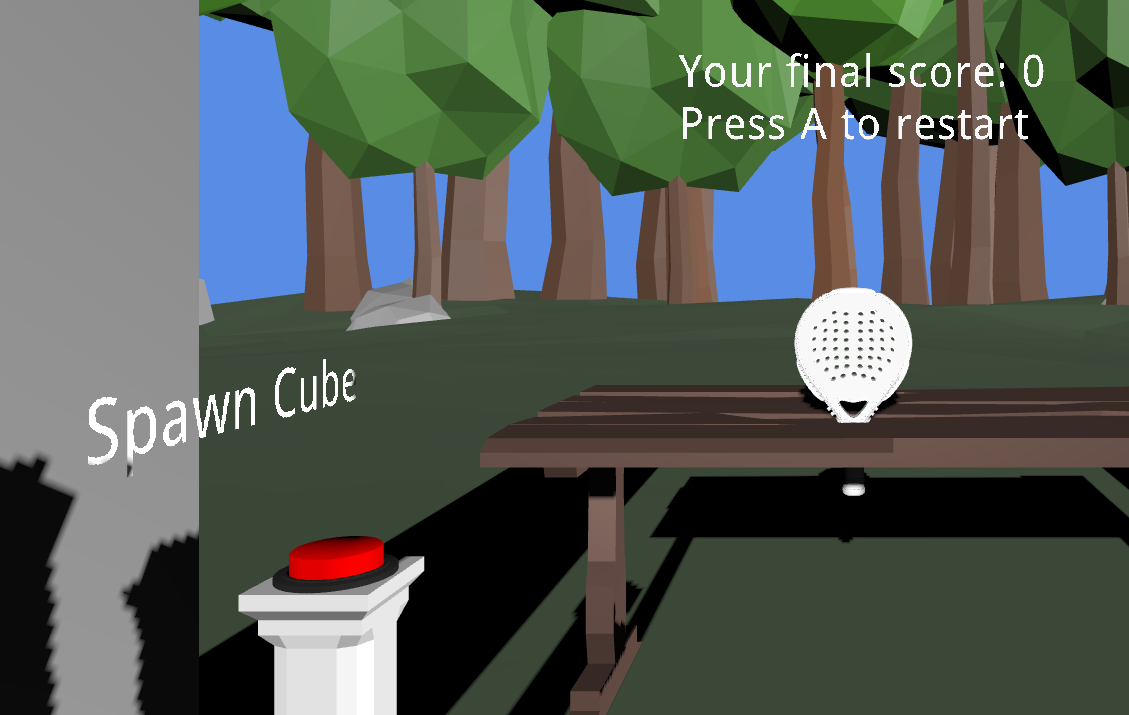
Text can also be updated dynamically at runtime. To make the system easier to use, I exposed functionality both directly through the component and through the UI system, allowing developers to update text without needing direct access to the component itself.
I also added helper functions such as CreateTextEntity() after noticing that text entities were frequently being constructed with the same configuration. This reduced boilerplate for common use cases while still allowing developers to access the underlying component when more control was required.
View TextWidget::SetText() implementation snippet
void TextWidget::SetText(std::string text, vec3 startPos, float scale, vec2 spacing)
{
    Empty();
    hasUpdated = true;

    if (!font->info.data)
    {
        Log::Error("Font data is empty or corrupted.");
        return;
    }

    float computeScale = stbtt_ScaleForPixelHeight(&font->info, scale);

    ...

    for (char c : text)
    {
        ...

        int advance, leftBearing;
        stbtt_GetCodepointHMetrics(&font->info, c, &advance, &leftBearing);

        ...

        glm::vec4 uv = font->charUVs[c];

        AddQuad(
            glm::vec3(xCursor + (leftBearing * computeScale),
                       yCursor - y1 * computeScale,
                       startPos.z),
            glm::vec2(glyphWidth, glyphHeight),
            glm::vec2(uv.x, uv.y),
            glm::vec2(uv.z, uv.w));

        xCursor += (advance * computeScale) + spacing.x;
    }
}
View CreateFontTexture() implementation snippet
Texture FontData::CreateFontTexture(FileIO::Directory directory,
                                    std::string filePath,
                                    float fontSize,
                                    int textureWidth,
                                    int textureHeight)
{
    ...

    // Loop through all basic ASCII printable characters and render the characters into a bitmap
    for (char c = 32; c < 127; ++c)
    {
        int w, h, xoff, yoff;
        unsigned char* glyphBitmap = stbtt_GetCodepointBitmap(&info, 0, scale, c, &w, &h, &xoff, &yoff);

        ...

        // Copy glyph into texture atlas
        for (int row = 0; row < h; ++row)
        {
            for (int col = 0; col < w; ++col)
            {
                ...
                bitmap[index + 3] = glyphBitmap[row * w + col];
            }
        }

        ...

        charUVs[c] = glm::vec4(minX, minY, maxX, maxY);

        xOffset += w + 2;
        stbtt_FreeBitmap(glyphBitmap, nullptr);
    }

    ...
}
Button Widgets
Buttons presented a slightly different design challenge. We wanted the engine to support conventional menu buttons, while also allowing developers to create their own interactions. For example, pulling a chain, shooting a target, or pressing a physical button.
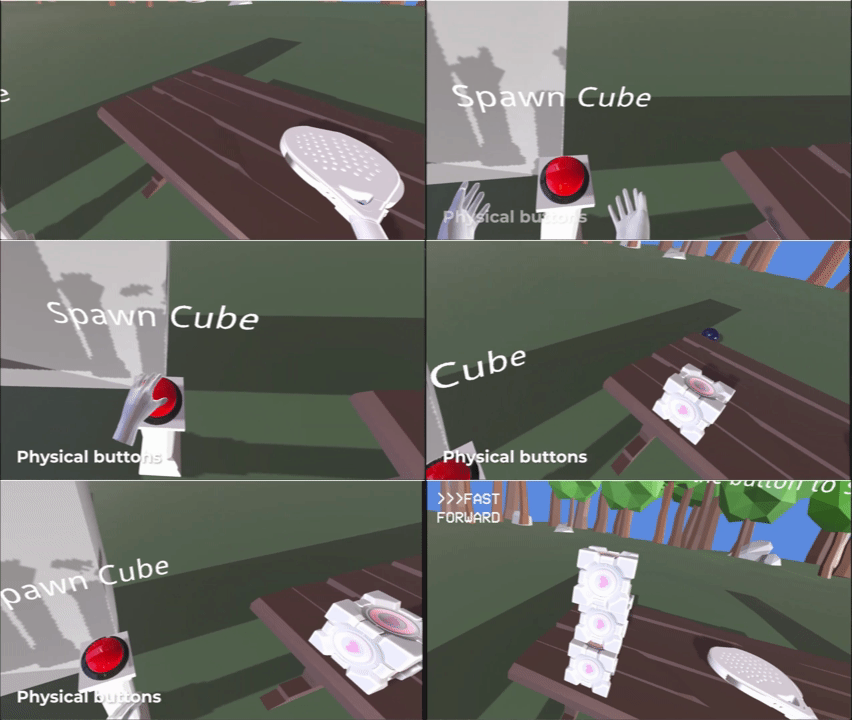
To support this, I introduced a ButtonType enum that determines how a button is triggered. The initial implementation contained three types:
disabled- the button cannot be triggered.ontouch- the button is automatically triggered when an entity with aPressButtoncomponent enters its trigger area.custom- the button can be triggered externally, allowing developers to implement their own interaction rules.
This approach also leaves the system open to adding new engine-defined button types in the future.
Rather than forcing all button behaviour into the ECS itself, I used a hybrid approach where button activation is handled through events. Develoeprs can bind to the button event and use the provided button ID to determine which button was activated and execute the appropriate gameplay logic.
This made the system relatively simple to integrate while still allowing custom interactions to be built on top of it. For example, the same button system could be used for a conventional VR menu button as well as a button activated by an entirely custom interaction.